

How to change the billing password
If you need to change the current password for your account, you can do it in the personal account settings.
Step 1. Open settings
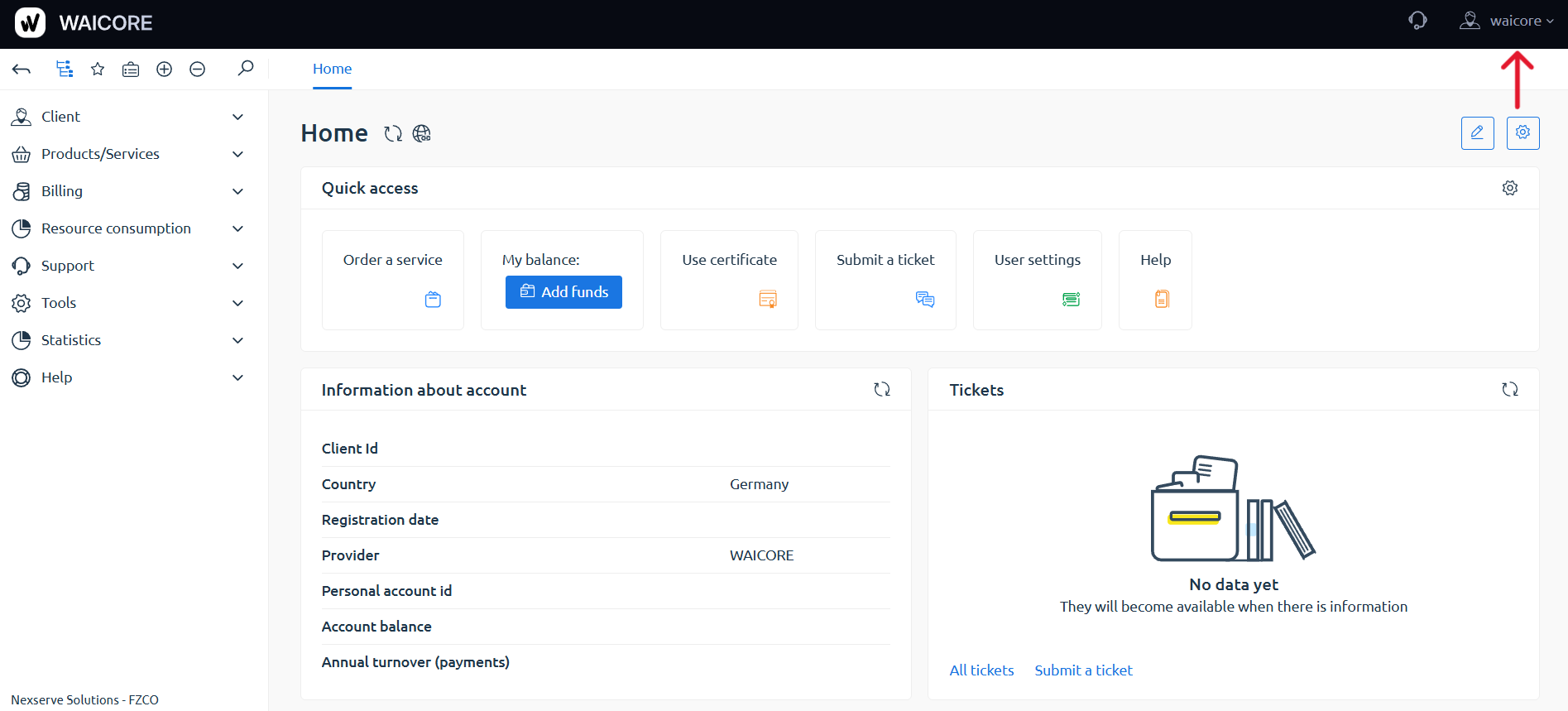
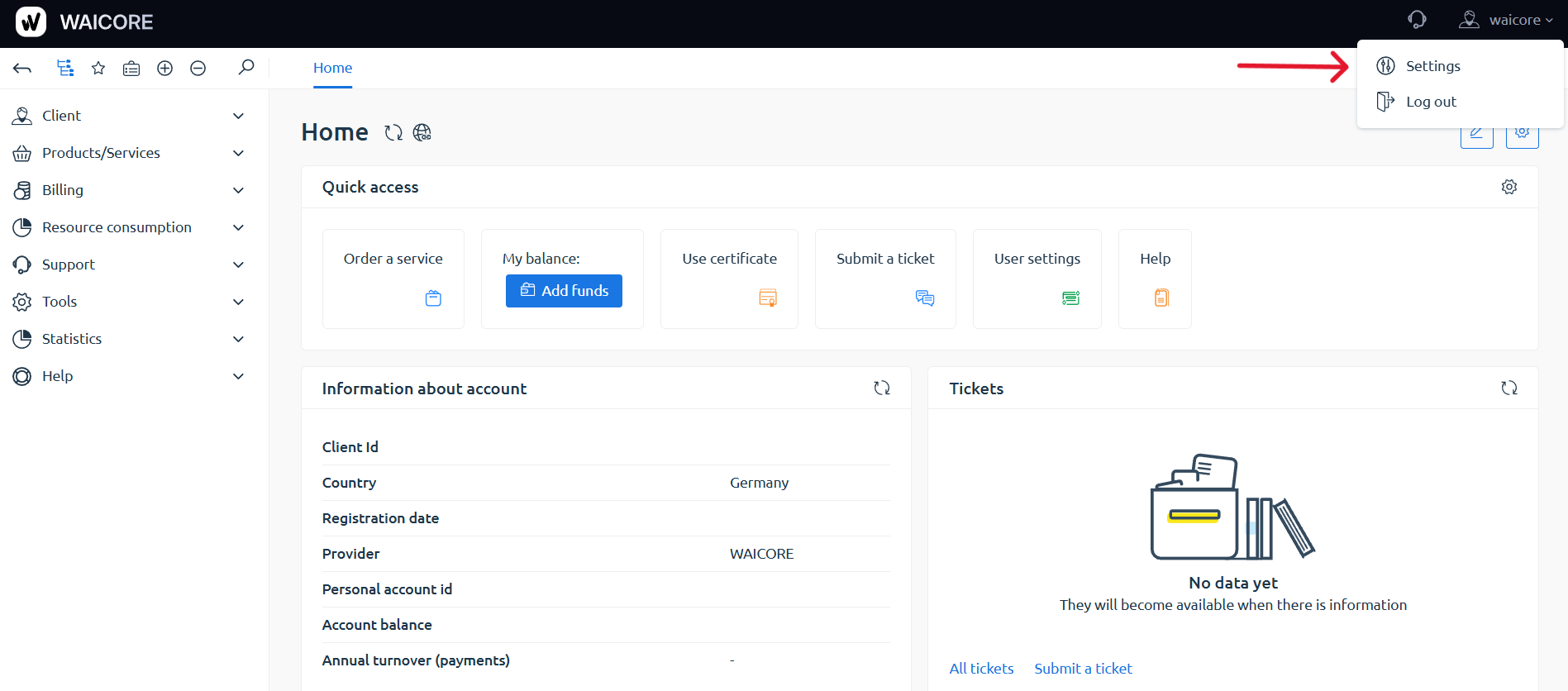
Section titled “Step 1. Open settings”Go to your personal account and open the Settings section in the top-right corner.
Step 2. Fill in the fields
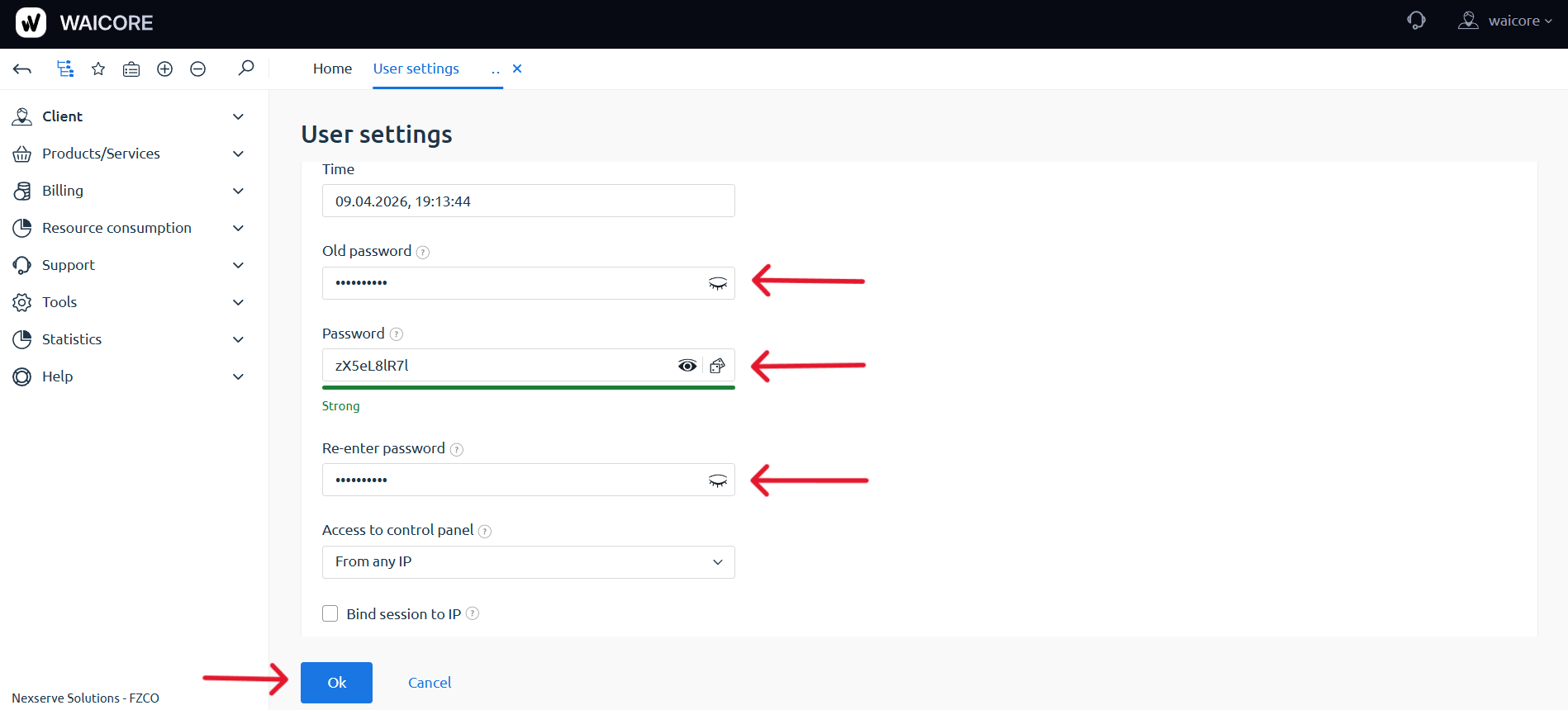
Section titled “Step 2. Fill in the fields”Enter:
- Old password
- Password
- Re-enter password
Step 3. Save the changes
Section titled “Step 3. Save the changes”Click Ok.
Done. Your password has been changed successfully.