

Adding an Additional IP Address
If your server requires an additional IP address, you can order it in a few clicks via your account.
Step 1. Open the server list
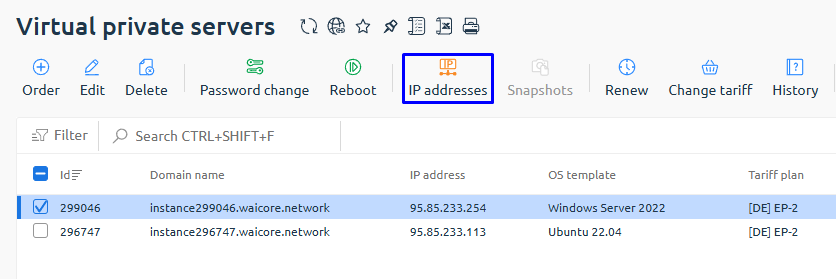
Section titled “Step 1. Open the server list”Go to: Virtual Dedicated Servers
Select the required server and open the IP Addresses tab.
Step 2. Order a new IP address
Section titled “Step 2. Order a new IP address”Click: Order

Step 3. Specify parameters
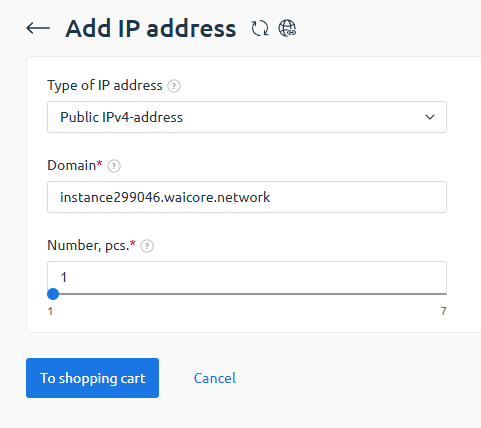
Section titled “Step 3. Specify parameters”Select:
- IP type --- Public IPv4 addresses
- Domain (PTR record, filled automatically)
- Number of IP addresses
Click: Add to Cart
Step 4. Confirm the order
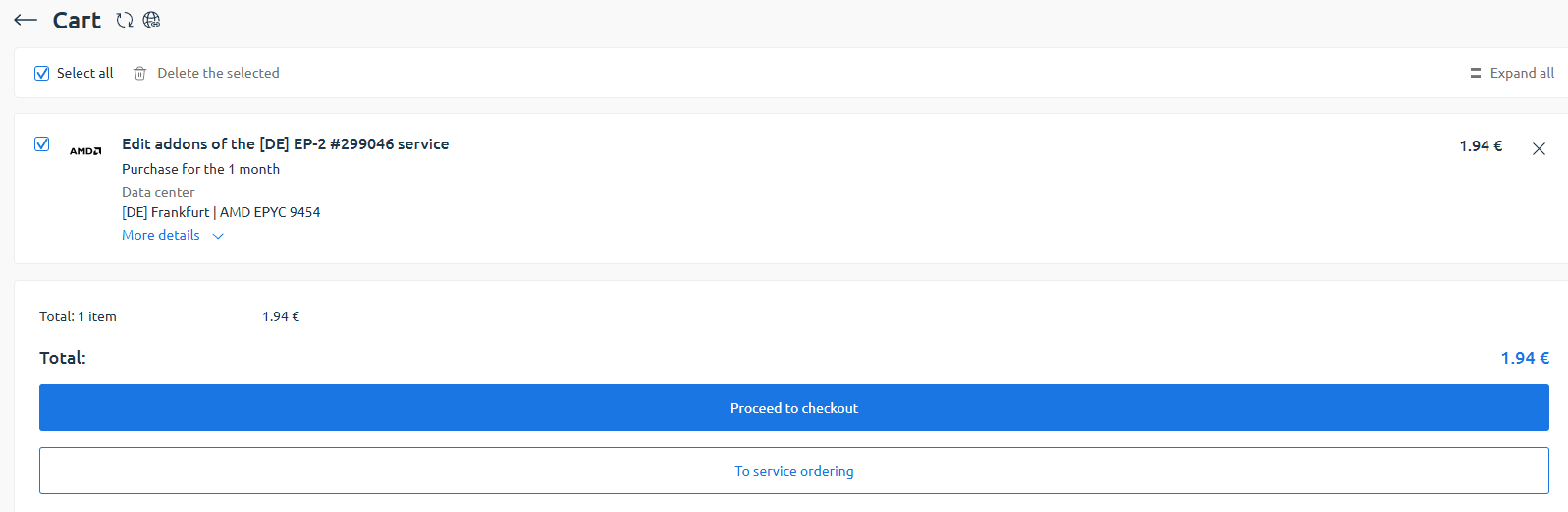
Section titled “Step 4. Confirm the order”In the cart, review the added service and its price.
If everything is correct, click: Proceed to checkout
Step 5. Check status
Section titled “Step 5. Check status”After payment, the new IP address will appear in the list.

🎉 Done!