

Reinstalling the Operating System
If you need to install a different operating system on your server, you can do this via the control panel.
Step 1. Go to the control panel
Section titled “Step 1. Go to the control panel”Open the section: Virtual Dedicated Servers
Select the required server and click: Go to

Step 2. Open the management menu
Section titled “Step 2. Open the management menu”Find the required virtual machine in the control panel.
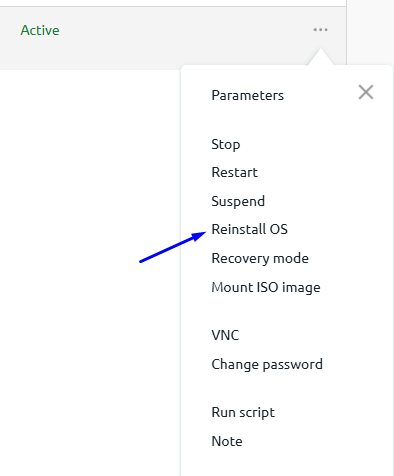
Click the three-dot menu on the right.

Step 3. Select “Reinstall OS”
Section titled “Step 3. Select “Reinstall OS””In the dropdown list click: Reinstall OS
Step 4. Choose the operating system
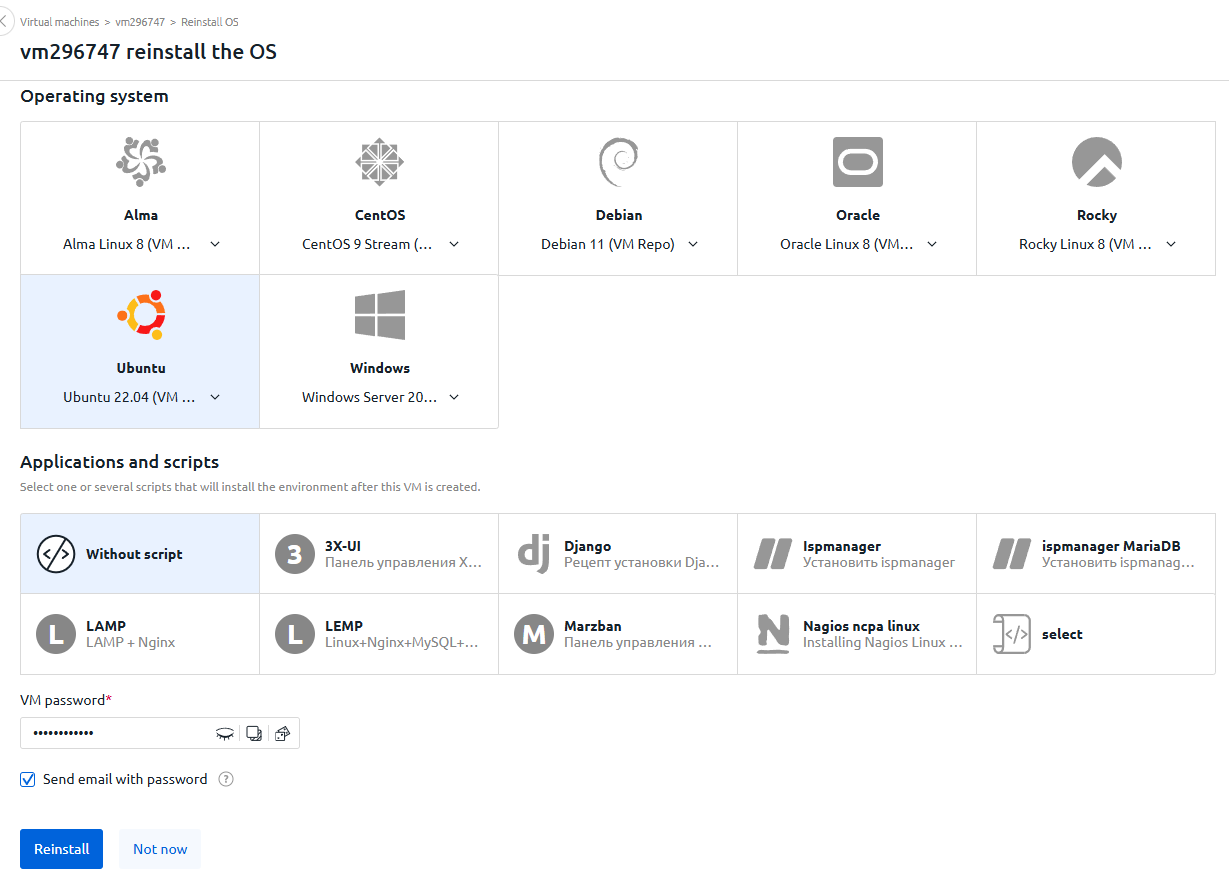
Section titled “Step 4. Choose the operating system”In the opened window:
- Select the required OS (Ubuntu, Debian, AlmaLinux, Windows, etc.)
- Select preinstalled software if needed
- Set a new access password
Then click: Reinstall
Step 5. Wait for installation to complete
Section titled “Step 5. Wait for installation to complete”During reinstallation, the server status will change to: Installing

After completion, the status will change back to Active, and the server will be ready to use.
🎉 Done! The operating system has been successfully reinstalled.