

Enabling and Disabling Auto-Renewal
You can disable or enable automatic renewal of the service at any time via service settings.
Step 1. Open the server list
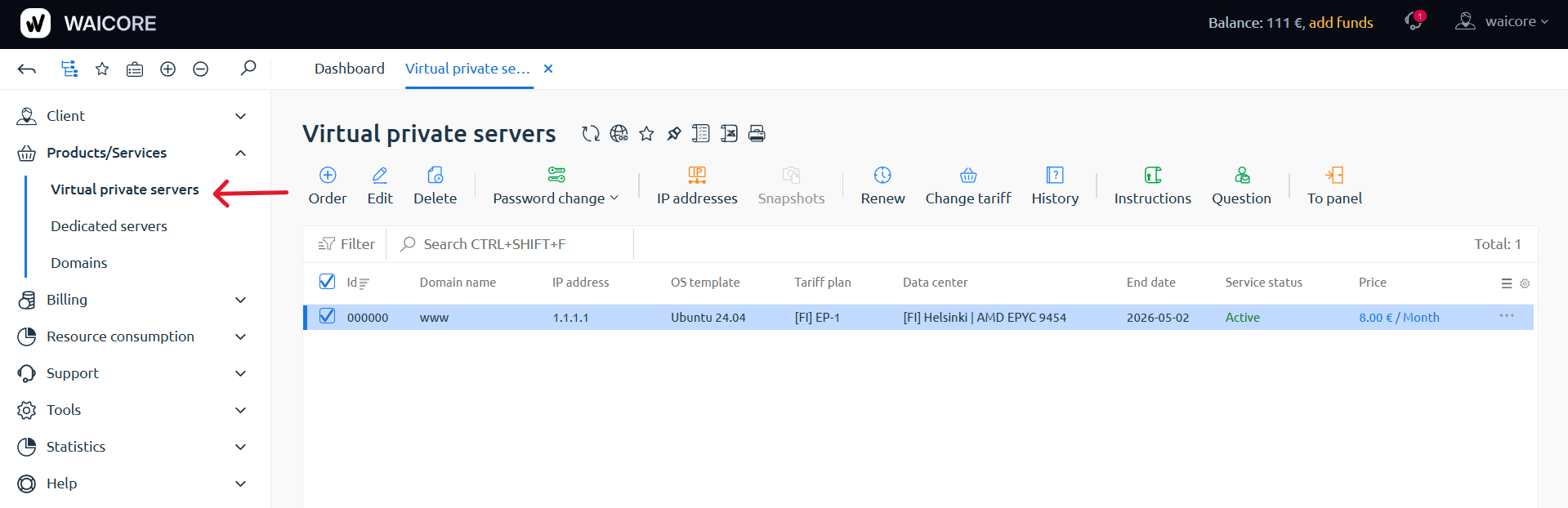
Section titled “Step 1. Open the server list”Go to your personal account. In the Products/Services section, select Virtual Private Servers.
Step 2. Open server editing
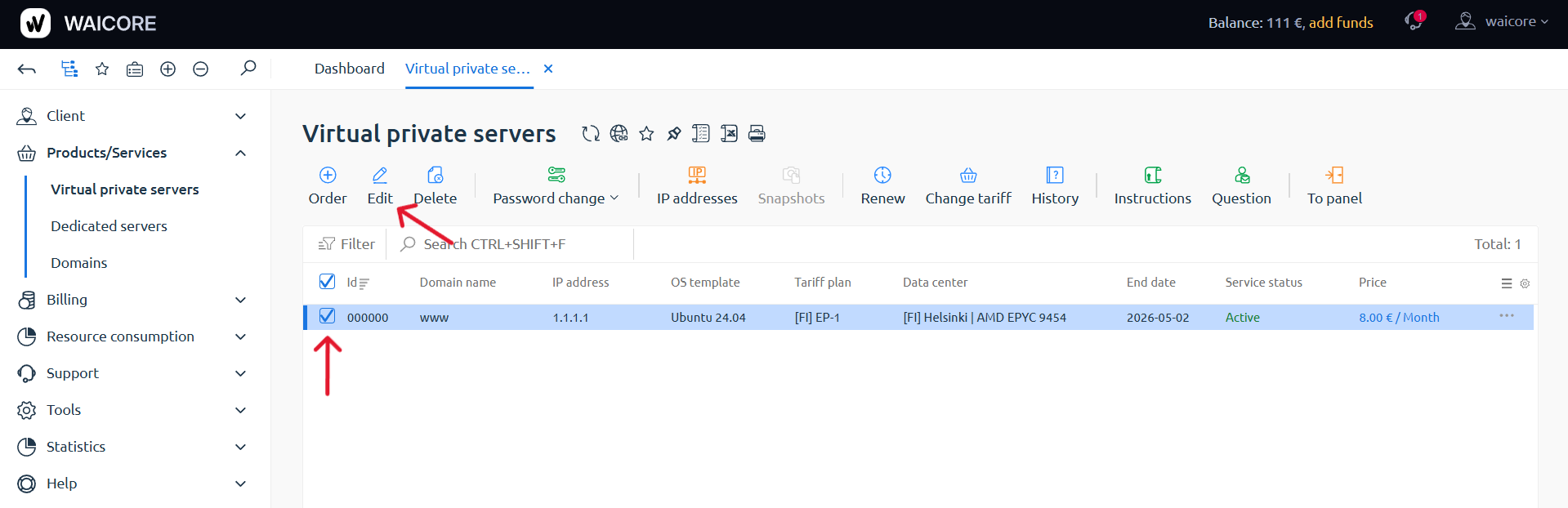
Section titled “Step 2. Open server editing”Select the required server and click the Edit button at the top.
Step 3. Enable or disable auto-renewal
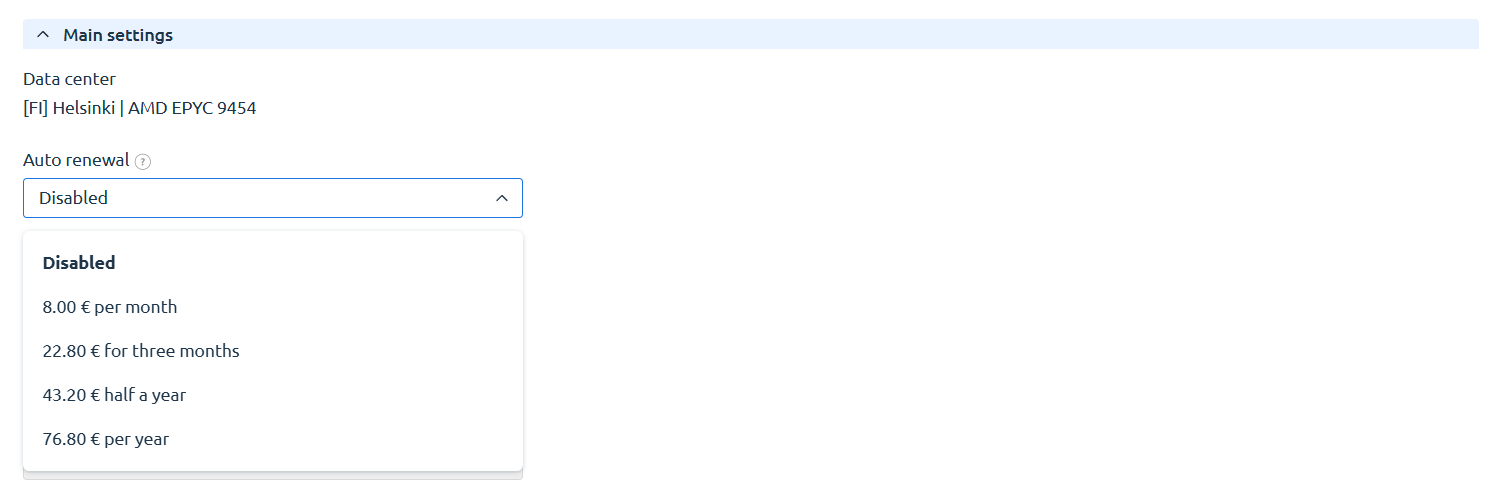
Section titled “Step 3. Enable or disable auto-renewal”In the Main Settings section, you can enable or disable auto-renewal.
🎉 You now know how to manage auto-renewal.